Download the RepairDaddy Android app to scan barcodes, access tickets instantly, and run your business from anywhere. Fully integrated with your PC database.
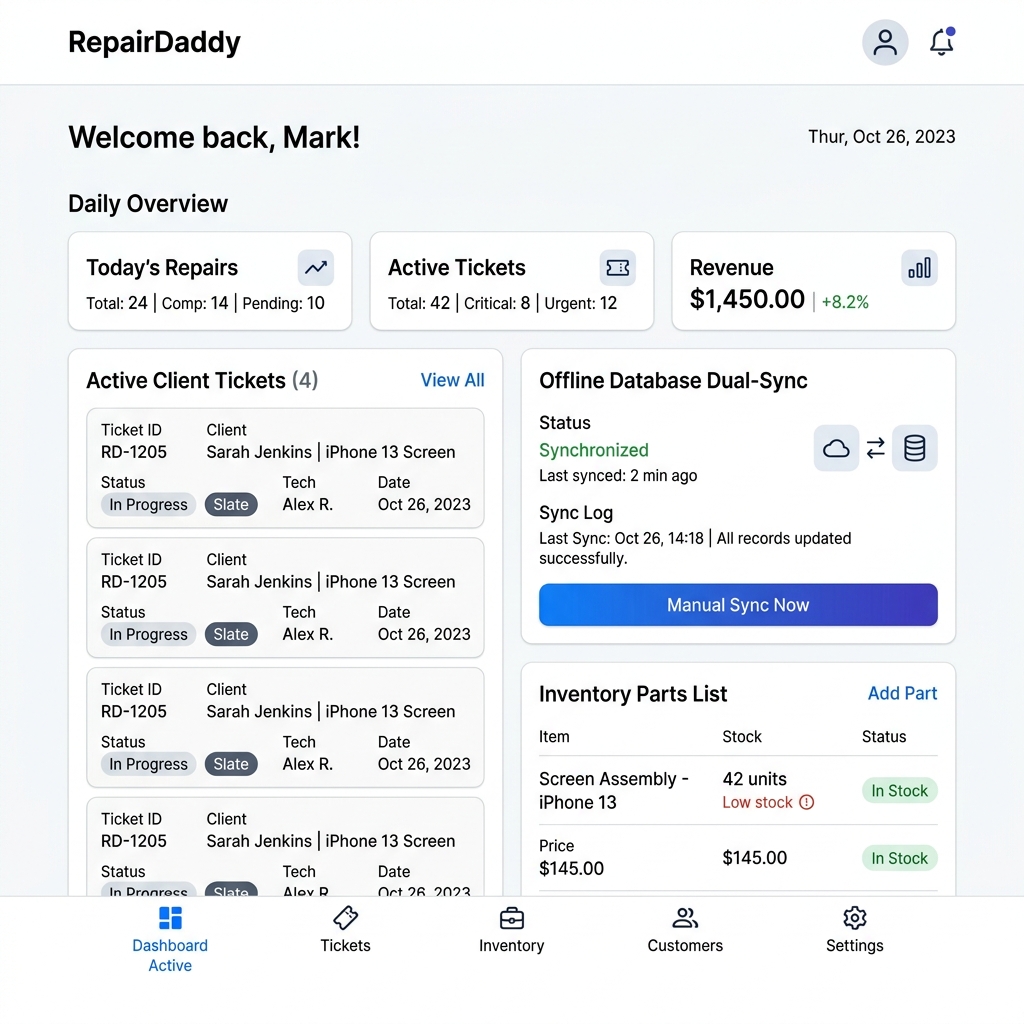
Database Synced
Realtime SQLite Link
Access key features built to leverage smartphone capabilities, increasing technician speed and shop accuracy.
Use your mobile phone's built-in camera as a high-speed scanner. Instantly search part inventory or retrieve repair tickets without manual searches.
Never miss an update. Receive automated notifications directly on your device when a payment is processed, a technician files a ticket, or stock runs low.
Attach device photos directly to the inward ticket. Use the mobile phone's built-in camera to snap high-resolution damage logs before starting any repairs.
Keep your store databases secure. Enable fingerprint or Face ID lock permissions on the companion app to prevent unauthorized access by walk-ins.
Sync databases directly over your local store network router with zero lag. No external internet bandwidth required, keeping sync completely internal.
Equipped with a local SQLite database that saves data when internet signal drops. Syncs all metrics to the central PC server database once a connection is re-established.
Download our latest direct installation APK below. Standard Google Play Store links are coming soon.
Coming Soon
Click the Download APK button on this page to retrieve the installation package directly to your phone.
Go to Android Settings > Security, select your browser, and toggle on "Allow installation of apps from unknown sources".
Open your device's Downloads folder, click on `RepairDaddy.apk`, and confirm the installation. Open the app to sync!
Join 1000+ repair shops already using RepairDaddy. Start your 5-day free trial today.
Get Started for Free